
Stop Transcribing Forms.
Start Filing Them.
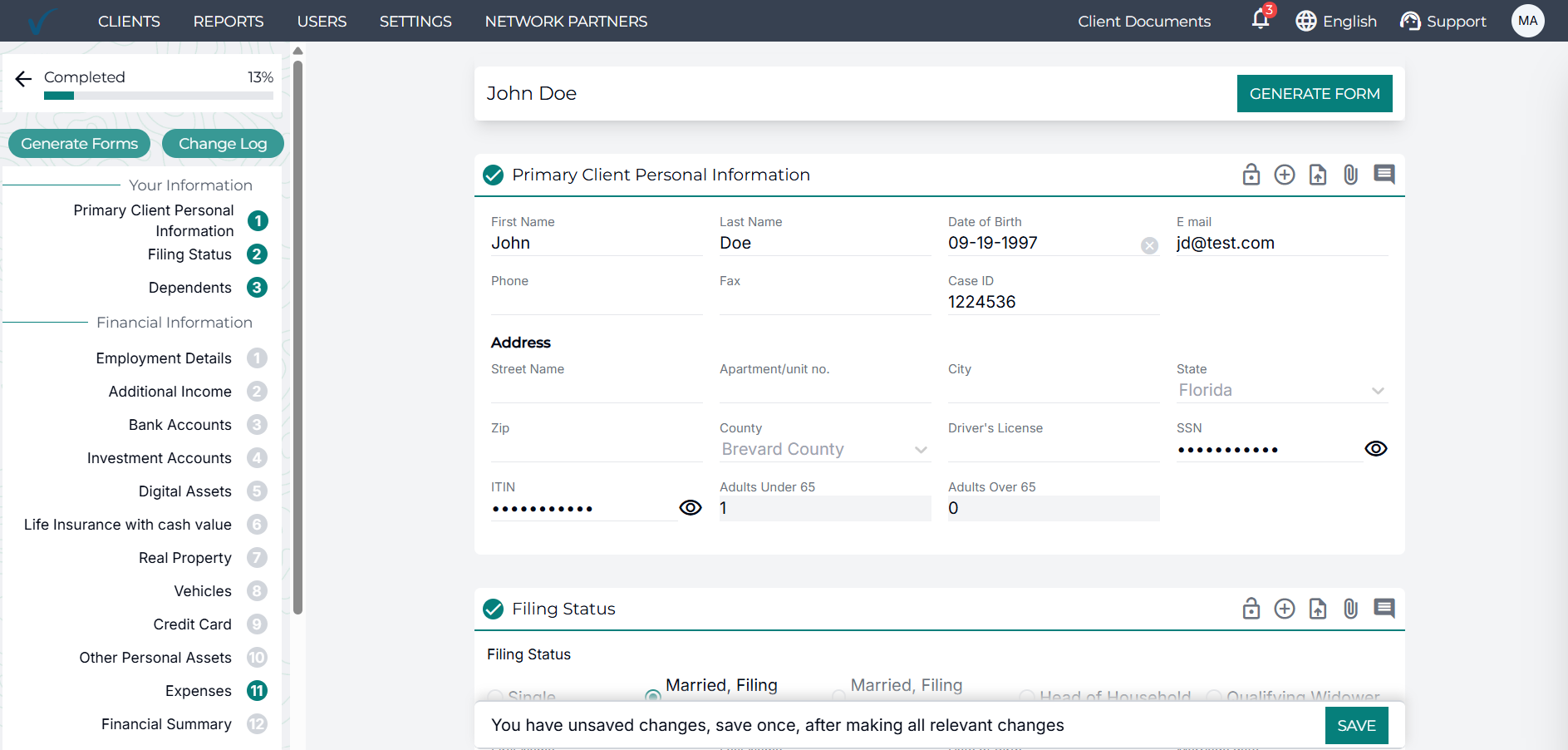
Stop re-entering the same figures across Form 433-A, 433-B, 656, 433-F, and every state POA. TaxVero's IRS form software generates the entire resolution form library from a single source - your worksheet and transcript data, so every form is consistent, current, and built without a single manual transcription.
An Automated IRS Form Generator for Resolution Firms
TaxVero's IRS & State Forms is an automated IRS form generator built for tax resolution firms. It pre-fills the complete resolution form library, Form 433-A, 433-A (OIC), 433-B, 433-B (OIC), 433-D, 433-F, Form 656, 2848, 8821, 8379, 8857, 12153, 12277, 843, 1127, state POA forms, and more, using validated data from TaxVero's tax worksheets and IRS transcripts.
Every figure traces back to a single source of truth, eliminating the manual transcription that traditional IRS tax form software requires.
Form Generation Is Where Resolution Cases Lose Hours
Every resolution case ends in forms. Most firms still build them by hand.
Form Versions Change
Working from an outdated PDF or a Word template that hasn't been updated this year is exactly the kind of error that derails a submission.
State Forms Are Their Own Problem
Firms operating across multiple states either maintain template libraries by hand or skip the work and file federally only.
Data Entry Takes Up Hours
Practitioner details, firm information, standard authorization language; every form your team generates starts with the same information typed in from scratch.
Worksheet to Form, in One Click.
Validate
Every form pulls from a single validated source.
- Tax Worksheets
- IRS Transcript Automation
- Resolution Path Calculator
Select
Select any IRS or state form from the case workspace.
- Every field pre-populated from the corresponding worksheet section
- Current version of the form template applied automatically
Review
Team reviews the pre-filled form.
- Case-specific edits made inline
- Required fields flagged
- Missing data surfaced before submission
Generate
Final form generated for filing. Where e-signatures are required:
- Form 2848 · Form 8821 · OIC packages
- Routes to Client Portal for client signature
What Changes When Forms Generate Automatically?
Manual form generation isn't just slow, it's a compounding liability. Here's what changes the moment form generation runs from a single source.
Version Drift Becomes Impossible
When every form pulls from the same validated worksheet data, the 433-A and the 656 will never disagree. The figure that drives the OIC offer is the same figure on the supporting form is the same figure in the state filing. One source eliminates the class of errors that manual transcription creates.
Form Revisions Stop Being Your Problem
The IRS revises forms. States revise theirs more often. TaxVero tracks every revision and updates the template automatically. Your team files current forms without checking revision dates or maintaining a template library.
Form Templates Built for How Your Firm Works
TaxVero's templating engine lets firms build and save form templates at the firm, team, or individual level. The right template applies automatically at generation, so the form arrives pre-filled with the information your team would have typed in manually, every single time.
Automated IRS Forms vs The Manual Workflow
Everything You Need to Know About TaxVero's IRS & State Forms
TaxVero's IRS form software generates the complete resolution form library: Form 433-A, 433-A (OIC), 433-B, 433-B (OIC), 433-D, 433-F, Form 656, 656-L, 9465, 2848, 8821, 911, 843, 4180, 4506, 4506-T, 8379, 8857, 12153, 12509, 13711, 9423, state POA forms, and more. Each form pre-fills from validated worksheet and transcript data - no manual transcription required. Form 8867 support is in active development.
Yes. TaxVero's Form 433-A software generates the complete individual financial information form directly from the resolution worksheet. Personal information, employment, assets, liabilities, expenses, and IRS standards all populate automatically. Asset equity is auto-calculated per the current IRS methodology. The Form 433-A (OIC) variant generates the same way, with the additional reasonable collection potential calculations specific to OIC submissions.
Form 2848 is generated from the case workspace with the practitioner's information, the client's information, and the tax years covered, all pre-filled. TaxVero's templating engine allows firms to build and save Form 2848 templates, configurable per team or individual practitioner - so recurring information is never re-entered. The form routes to the Client Portal for client e-signature, then back to your team for filing with the CAF.
Yes, Form 8821 is part of the same form library. The Form 8821 software generates, e-signs, and files within the same workflow - useful for cases that need transcript access without the full Power of Attorney scope. Both forms route through the Client Portal for signature.
TaxVero's Form 9465 software pre-fills the installment agreement request with the proposed monthly payment calculated by the Resolution Path, the bank information collected through the worksheet, and the taxpayer details from the case. The full Form 9465 is ready to file, with the installment amount aligned to the client's actual financial capacity.
When the IRS revises a form or a state agency updates its templates, the change appears in TaxVero automatically. Your team doesn't need to maintain a form template library, track revision dates, or check whether the version in use is current. The platform does that work.
Yes. For firms running high-volume workflows, installment agreement campaigns, mass POA filings, and OIC season forms generate in bulk from a filtered case list. The same validated data source feeds every form in the batch.
Forms requiring client signature - Form 2848, Form 8821, OIC packages, worksheets - route directly to the secure Client Portal for in-portal e-signature. Completed forms return to your team for filing, with every signature event captured in the audit-ready case history. (E-signature functionality is currently in development. Available features are noted throughout the page where applicable.)
Stop transcribing forms. Start filing them.
TaxVero's IRS form software generates the entire form library from a single validated source, with every form current, every figure consistent, and every signature captured in the same workflow.
Book Your Demo